


Super Funny Ringtones & Sounds
4.6259.00 Reviews
App Specs
- Version
- 19.1
- Updated On
- License
- Free
- Downloads
- 1,000,000+
- Developer
- GeniusTools Labs
- Categories
- Personalization
- Platform
- Android
Screenshots
 Analysis by AppCompare
Ever get tired of the same old ringtone that makes your phone sound just like everyone else’s? Well, I decided to spice things up a bit and stumbled upon the Super Funny Ringtones & Sounds app. Let me tell you, it’s like a breath of fresh air for your phone. You know that feeling when you hear a hilarious sound and it just makes your day? Yeah, that’s what this app is all about.
A practical way to make the change
The best way to approach a ringtone app like this is to start small. I’d pick one sound for incoming calls, live with it for a day, and notice whether it still feels funny after the novelty wears off. A sound that gets a laugh once can become irritating if it plays every time someone calls, so trying it in one role before changing several alerts is a useful bit of restraint.
That first choice also helps you judge volume and context. A comic effect can be easy to notice at home but awkward in a quiet waiting room or at work. I’d keep a familiar, less conspicuous tone available for situations where a joke would draw the wrong kind of attention. Personalization works best when it gives you options rather than forcing one mood onto every part of the day.
Getting Started with Super Funny Ringtones & Sounds
First things first, downloading the app is a breeze. Whether you’re on Android or iOS, just head to your app store, type in Super Funny Ringtones & Sounds, and you’re all set. The installation is quick, and before you know it, you’re ready to dive into a world of laughter.
Exploring the Wacky World of Ringtones
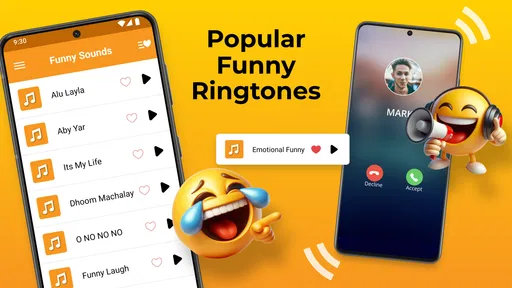
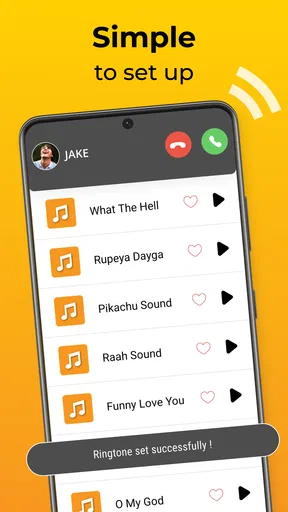
Once you open the app, you’re greeted with a simple, user-friendly interface. No complicated menus or endless scrolling. Just a few taps and you’re swimming in a sea of hilarious sounds. The app categorizes ringtones into various themes like “Animal Sounds,” “Cartoon Characters,” and “Funny Voices,” making it super easy to find exactly what you’re in the mood for.
I couldn’t help but chuckle at the “Animal Sounds” category. Imagine hearing a sheep bleating or a rooster crowing every time someone calls you. It’s a guaranteed conversation starter! And if you’re a fan of cartoons, the “Cartoon Characters” section is pure gold. I mean, who wouldn’t crack up hearing a cartoon villain’s cackle as a ringtone?
Picking sounds for real life
There’s a difference between a sound that is amusing in a preview and one that works as a daily alert. For calls, I’d favor a clip that is recognizable quickly and doesn’t need a long build-up; you may only hear the first moments before answering. For a message notification, a shorter, less startling sound is usually more practical because it can repeat throughout a busy day.
Worth Reading Before You Choose

EA SPORTS FC Mobile 26 Is a Bigger Football Game, but It Takes Time

Flipboard Shows What News Apps Must Do Beyond the Feed

Switching to Android Auto Means Rethinking Your Driving Routine

Google Calendar Makes a Crowded Week Easier to Manage

Ludo King Makes the Most of the Minutes Between Plans

Baby Panda World Brings Quick Play to Modern Phones, but Its Game Library Feels Busy
A realistic routine is to use one playful ringtone for friends and keep a neutral option for calls that need a more serious response. If you’re sharing a room, commuting, or sitting in a meeting, a loud comic voice can become everyone’s business. I’d test a candidate at a modest volume first, then adjust the phone’s sound level separately rather than assuming every clip will come through equally well.
The app is most appealing to people who enjoy novelty and like changing their phone’s character now and then. It can also suit someone who wants a clear distinction between a close friend’s call and other incoming calls. If you prefer a quiet phone, subtle tones, or a highly restrained professional setup, though, a standard system sound or a simple tone-maker may be a better fit.
Customization and Usability
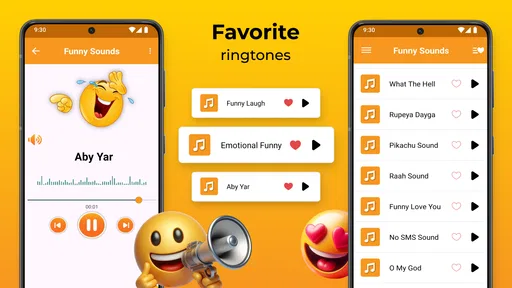
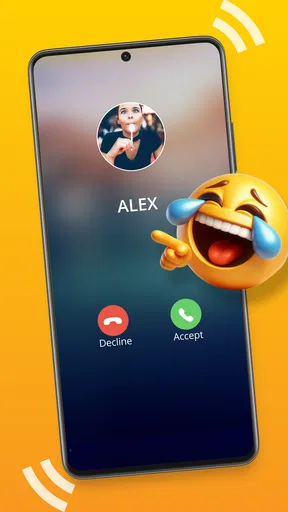
One of the things I really appreciate about this app is the level of customization it offers. Not only can you set these sounds as ringtones, but you can also assign them to specific contacts. This means you can have a different funny ringtone for your best friend, your mom, or even your boss! It adds a personal touch that I found really appealing.
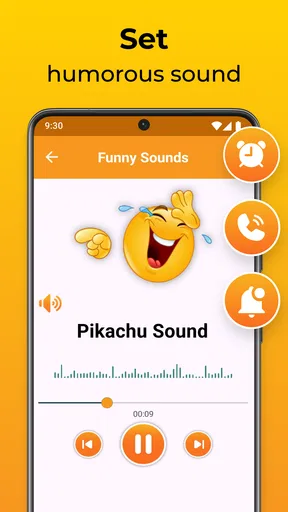
The app also allows you to set these sounds as notification alerts or alarm tones. Waking up to a funny sound instead of the usual blaring alarm is a game-changer. It’s like starting your day with a smile.
Settings that are worth a quick check
Before settling on a sound, I’d check how it behaves in the phone’s own sound settings. A ringtone, a notification alert, and an alarm can be controlled differently by the device, so a sound that works for one purpose may not be suitable for another. I’d also confirm the phone is using the intended selection after assigning it, especially when changing a contact-specific tone; a quick test call can prevent a funny idea from turning into a missed call.
For alarms, humor is a matter of taste, but waking up to a novelty sound every morning may make it less charming fast. I’d try one for a single alarm before relying on it for an important morning. If you use a sound for notifications, consider whether you want every app alert to have the same comic effect or only selected alerts. Keeping the phone’s settings deliberate makes the app’s customization more useful and less noisy.
One practical trade-off is that recognizable jokes attract attention. That can be exactly the point when you’re with friends, but not when you’re trying to keep a call private. Contact-specific choices are helpful here: reserve the most distinctive sounds for people whose calls you’re happy to identify in public, and use a calmer tone elsewhere. That simple pattern gives the personalization a purpose instead of making every ring a performance.
The Sound Quality and Options
Now, I know what you’re thinking—funny sounds must mean low-quality audio, right? Wrong! The sound quality on this app is top-notch. Each ringtone is crisp and clear, ensuring that you don’t miss a beat. The developers have done a fantastic job ensuring that these sounds are as entertaining as they are audible.
There’s also a handy search feature that lets you find specific sounds quickly. Whether you're looking for a particular animal noise or a specific character laugh, the search function makes it super easy to locate.
Finding a repeatable routine
Search is especially useful when you have a sound in mind, but browsing by theme can be better when you’re undecided. I’d use the categories for the first round, then search once I know the sort of sound I want. That keeps the process from becoming a long scroll through options and makes it easier to compare a few candidates for the same job.
Experienced users can make the setup feel intentional without relying on any complicated tricks: choose a sound, assign it to one role, test it in ordinary conditions, and keep a note of what worked before changing another alert. The point is not to customize everything. A small set of distinct tones is easier to recognize than a different novelty sound for every person and notification.
Compared with the usual alternatives, this app leans toward ready-made comic sounds rather than building a ringtone from a song or recording. That is convenient if you want a quick gag without editing audio, while a phone’s built-in tones are generally better for predictable, low-key alerts. A dedicated audio editor offers more control over custom clips, but it also asks for more effort. The right choice depends on whether you value playful presets or precise control.
Where the limits show
Novelty is also the main limitation. A funny ringtone can lose its charm through repetition, and a sound that feels clever in private may be distracting in public. I’d avoid assigning the loudest or most theatrical option to a high-traffic alert, particularly if you receive frequent calls or messages. The app is about changing the sound, not solving the broader problem of too many interruptions.
There is a small learning curve in deciding where each sound belongs. If you assign a comic clip to several different kinds of alerts, you may stop knowing whether a ring means a call or a notification. Keeping roles distinct is a better habit: use one style for calls, another for messages, and save a particularly recognizable sound for a contact you want to identify immediately. That makes the setup easier to remember and less likely to confuse you.
It is also worth being realistic about compatibility and setup. The experience depends on your phone’s own sound controls, and the steps for assigning a tone can vary between devices. If you can preview a sound but cannot make it behave the way you expect, check the device’s ringtone or notification settings rather than repeatedly choosing the same clip in the app. I would not choose this solely for advanced audio editing or a highly intricate automation workflow.
Why You’ll Love This App
So, why should you give Super Funny Ringtones & Sounds a try? Well, if you’re someone who loves to inject a bit of humor into everyday life, this app is a must-have. It’s a simple way to add a splash of personality to your phone, making every call or notification a little more enjoyable.
Plus, it’s a great way to surprise friends and family. Imagine their reaction when they hear your phone go off with a funny sound. It’s moments like these that make the app so worthwhile.
Who should choose it, and who should pass
I’d recommend it to someone who enjoys playful personalization, wants ready-to-use funny sounds, and is happy to spend a few minutes matching tones to contacts or alert types. It is also a good fit for a person who likes to refresh a phone’s feel without recording or editing audio. The category is personal, but the appeal here is quite specific: the phone becomes a small source of amusement rather than just a device with a standard ring.
I’d skip it if you need discreet alerts above all else, want to create precise custom audio, or dislike novelty sounds after hearing them repeatedly. In those cases, built-in tones are simpler, and an audio editor is more suitable for making a tailored clip. The app doesn’t have to replace either option; you can use a funny sound for a few contacts and leave the rest of the phone’s alerts alone.
For an everyday example, imagine you’re expecting a call from a close friend while working through errands. A distinctive contact tone helps you recognize the call without checking the screen, but a comic effect might be unwelcome in a quiet shop. I’d use that sound when I’m comfortable with people around me hearing it, and switch to a neutral tone when I need to keep the phone unobtrusive. That is the kind of small, situational choice that makes personalization genuinely useful.
What to expect before installing
Super Funny Ringtones & Sounds is a free personalization app from GeniusTools Labs. It has an average rating of 4.4 from around 26,000 ratings, and it has been installed over a million times. Its content rating is Everyone, so it is intended for a broad audience. The app’s current version is 19.1, and it requires Android 7.0 or later; optional in-app purchases range from $0.99 to $99.99 per item.
Those figures can help you understand the app’s place, but they don’t tell you whether its particular style will suit your routine. I’d treat the free download as a chance to see whether the sound selection and setup feel right for you, and pay attention to any purchase prompt before choosing anything optional. If all you need is a basic ringtone, the phone already has a straightforward alternative; if you want a comic sound without making one yourself, this app has a clearer reason to be on your phone.
One question people often have is whether a sound can be used beyond incoming calls. The app supports setting sounds as notification alerts and alarm tones as well, but I’d still test each role on the device because a phone may handle those sound categories differently. Another practical question is whether you need to personalize every contact: you don’t. One or two carefully chosen assignments can be easier to recognize and less distracting than a complete overhaul.
It’s also fair to ask whether the humor stays enjoyable. That depends on how often the sound plays and how well it fits the setting. I’d choose an option I can tolerate hearing repeatedly, rather than one that is funny only because it is surprising the first time. If you find yourself muting the phone to avoid the joke, that is a sign to change the assignment or return to a simpler tone.
In conclusion, Super Funny Ringtones & Sounds is a delightful app that brings joy and laughter to your daily routine. Whether you’re looking to amuse yourself or entertain others, it’s a fantastic tool to have on your phone. So go ahead, download it, and let the fun begin!
My verdict after thinking through the daily use
What I like most is the direct idea: instead of asking you to make a sound from scratch, the app gives you a playful way to change familiar phone alerts. Its strongest use is selective personalization, especially when a particular sound helps you identify a caller or adds a bit of humor to a quiet moment. Its weakest use is turning every alert into a joke, because repetition and public settings can quickly make that choice feel less clever.
I’d start with one contact or one alert, test it through a normal day, and keep the rest of the phone’s sounds as they are until I know the choice works. That measured approach captures the app’s fun without making it a distraction. If you want a simple, comic twist on calls and notifications, it is worth trying; if your priority is subtlety or detailed sound creation, the standard phone options or an editing tool will serve you better.
Pros
- Wide variety of ringtones for all tastes.
- Easy-to-use interface for quick setup.
- High-quality sound files without distortion.
- Regular updates with new tones added.
- Free to download with optional in-app purchases.
Cons
- Contains ads that can be intrusive.
- Limited customization options for tones.
- Requires internet for some features.
- Some ringtones may seem repetitive.
- In-app purchases can add up quickly.
FAQs for Super Funny Ringtones & Sounds
What types of ringtones and sounds are available in Super Funny Ringtones & Sounds?
Super Funny Ringtones & Sounds offers a diverse collection of humorous ringtones and sound effects to suit various tastes. From classic comedy sound bites to modern memes and quirky effects, the app ensures there's something to make everyone laugh. Users can customize their phone alerts with these unique sounds, adding a fun twist to their notifications.
Is Super Funny Ringtones & Sounds free to use, or are there in-app purchases?
The app is free to download and provides a selection of ringtones and sounds at no cost. However, it may offer additional premium content through in-app purchases. These purchases might include exclusive ringtones or an ad-free experience, allowing users to enhance their customization options.
How can I set a ringtone from the app on my Android or iOS device?
Setting a ringtone from Super Funny Ringtones & Sounds is straightforward. On Android, users can select a ringtone within the app and apply it directly as their default ringtone or notification sound. For iOS, users might need to sync the ringtone to their device via iTunes or follow specific instructions provided in the app to set it up.
Does Super Funny Ringtones & Sounds require an internet connection to work?
While downloading and initially setting up the app might require an internet connection, most features, including playing and setting ringtones, can be used offline. However, accessing new ringtones or updates may require internet access to download the latest content available.
Are there any privacy concerns with using Super Funny Ringtones & Sounds?
Super Funny Ringtones & Sounds is designed with user privacy in mind. The app typically requests only the necessary permissions to function, such as access to storage for saving ringtones. Users should review the app’s privacy policy to understand how their data is managed and ensure they are comfortable with the permissions granted.


